

Visual song map
See the whole arrangement laid out left-to-right — every section in order, so you always know what's coming next.

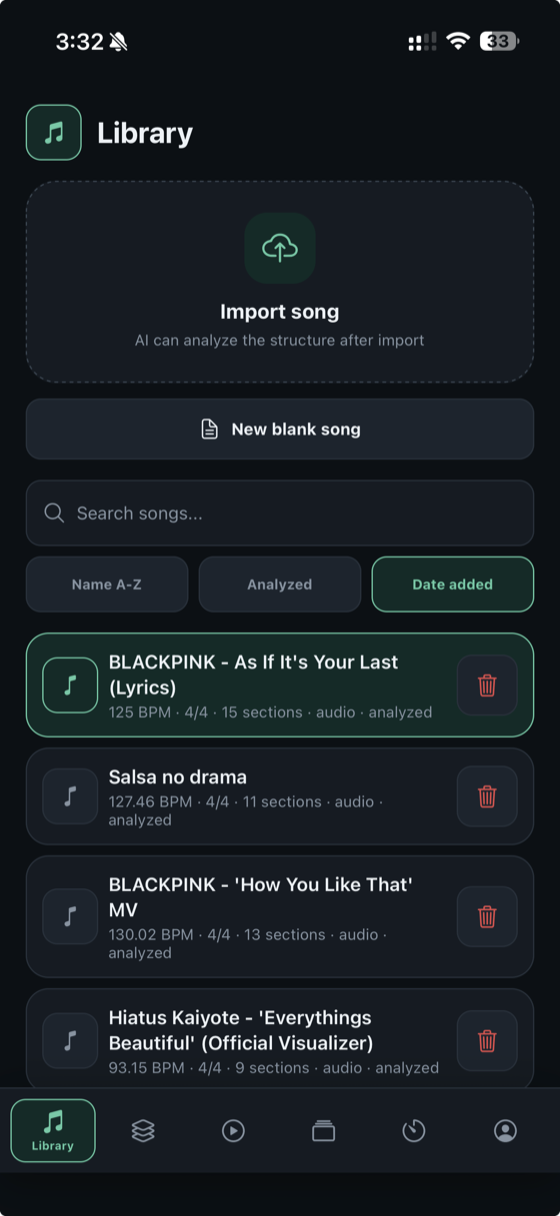
Most metronomes give you one number and a click. But a song has shape — an intro, verses, a chorus, a bridge. Metronome Map lays your song's sections on one visual timeline, speaks a cue before every change, and counts you in — so you rehearse the whole piece, not just a beat.
Android is ready to try right now — download the APK below. On iPhone? It's not on the App Store yet, so drop your email and we'll send you a TestFlight invite.
iPhone / iPad — get your TestFlight invite:
Features
Not just a click — a full picture of the piece you're playing.
See the whole arrangement laid out left-to-right — every section in order, so you always know what's coming next.
Label Intro, Verse, Chorus, Bridge — with count-ins and cue points exactly where you need them.
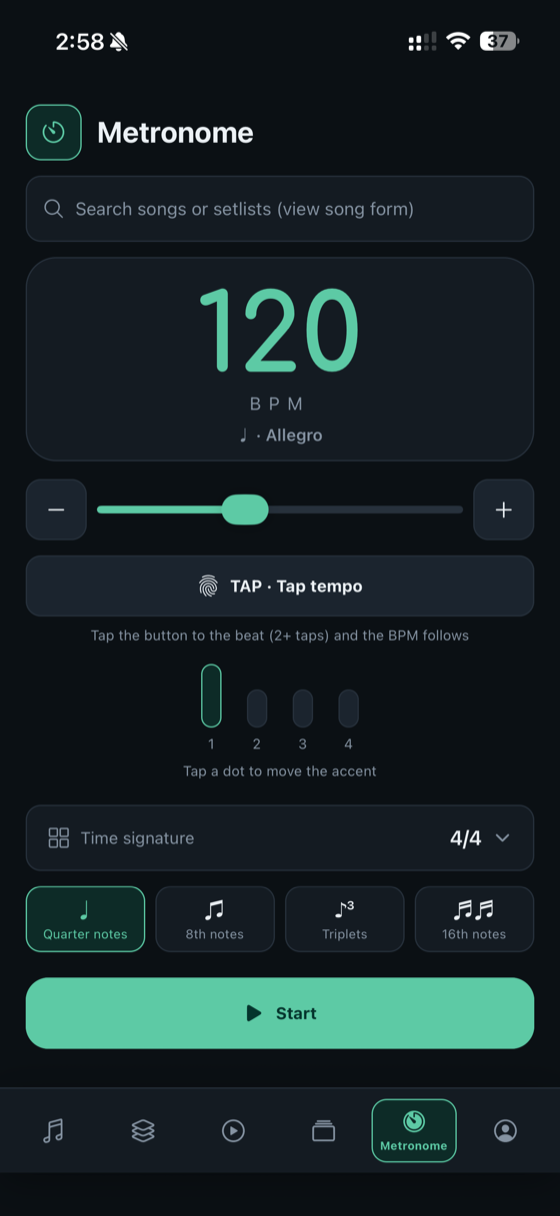
4/4, 6/8, 7/8 — set your song's meter and every bar lines up to the beat.
Drag to select a passage and loop it — at full speed or slowed down until it's clean.
Always know where "1" is. One clear bar of count-in before a loop or section starts.
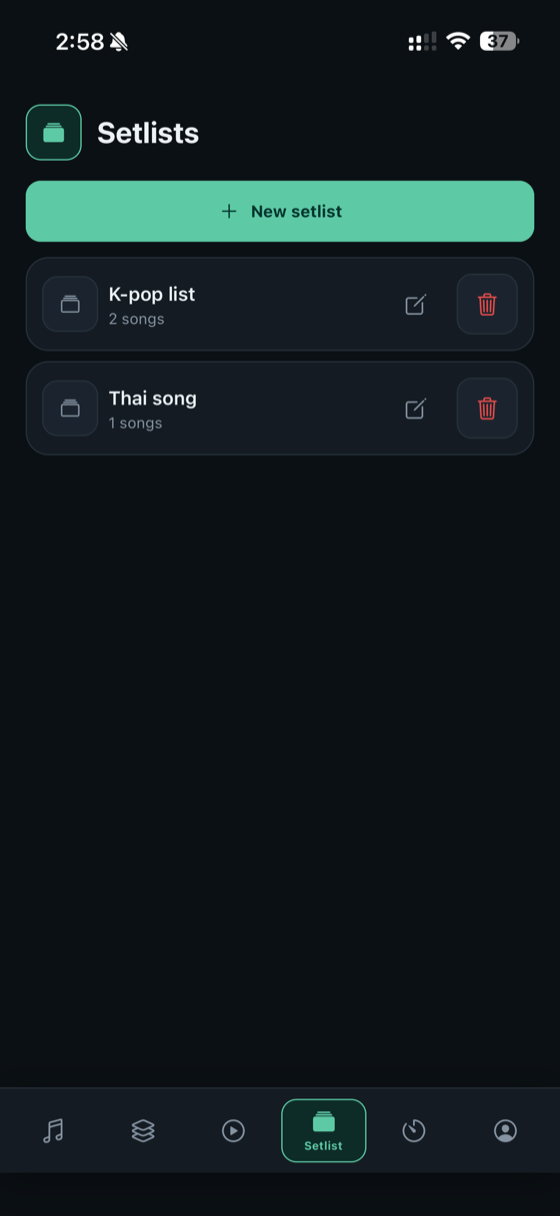
Keep a whole set of mapped songs ready to go — perfect for gigs and recitals.
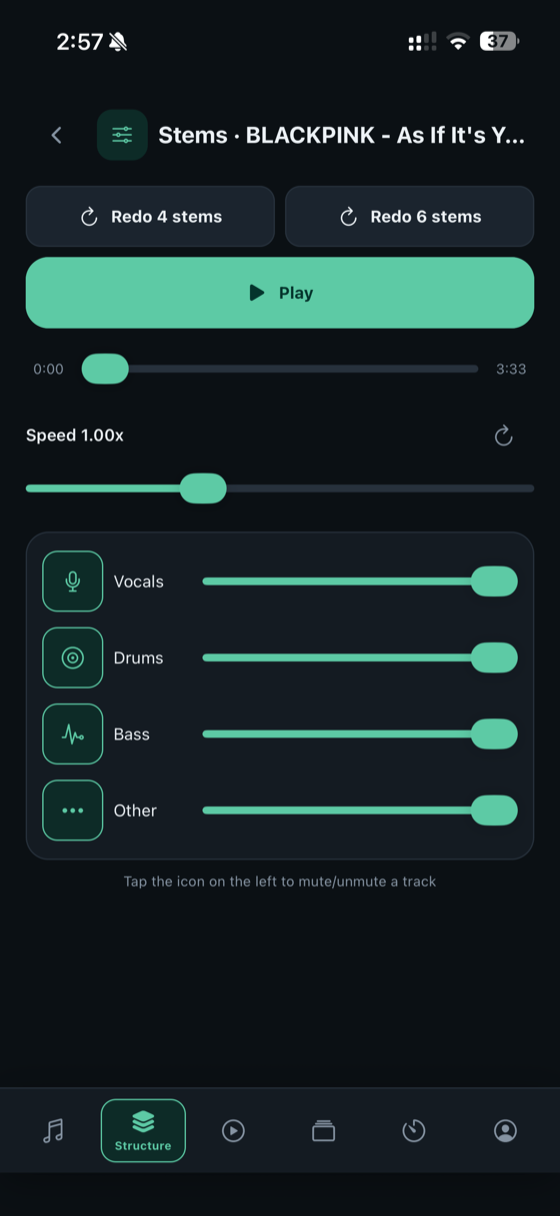
Import a song and split it into vocals, drums, bass and more. Mute a part, solo another, or slow it down to learn it.
AI hears the changes for you — maj7, m7, sus and more, not just major/minor. Chords scroll with the song while you play, plus a bar-by-bar chord sheet you can edit by hand.
Chords sit right above the lyrics, word by word. Tap to add, move or edit any chord, write your own songs from scratch, go multi-column on iPad, and share the sheet with your band.
AI transcribes the lyrics with timestamps, so every line appears right on beat while you rehearse — and you can edit any line afterwards.
Take your map with you — MIDI tempo map with time signature and section markers, or ready-made click and cue-voice WAV guide tracks.
In the app
Real screens from Metronome Map — nothing staged.
How it works
Step 01
Drop in the sections, set your tempo and time signature, and add a spoken cue wherever you want a heads-up. It takes a minute — and then it's yours forever.
Step 02
Hit play and the metronome runs your song at a rock-steady tempo, speaks a cue just before each section, and flashes a count-in so you're never lost. Tap any section to jump straight there.
Step 03
Press and drag across the timeline to select any passage — one bar or a whole section — and loop it. Slow it down until it's clean, then bring it back up to tempo.
Who it's for
Map every song in the set once, then run the whole show with tempos that never drift.
Loop the tricky bars, slow them down, and build them back up — lesson after lesson.
Hit every section transition dead-on, with a spoken cue and count-in you can trust.
Pricing
During the beta everything is free to test. These are the launch prices — no ads on any plan.
The full metronome, song maps, cues, count-ins, loops and setlists — plus 3 AI jobs (analysis, stems or lyrics) per month.
30 AI jobs a month, chord detection, synced lyrics and song-form view in the metronome. AU$7.99/mo or AU$64.99/yr in Australia — with a 7-day free trial.
Need a few more AI jobs this month? Add 10 anytime — on Free or Pro. AU$2.99 in Australia.
FAQ
Be first in line — join the beta and help shape Metronome Map before it launches.